
Download TheSearchMan – File Search Utility, Fast Search, Lightweight Tool
Overview
TheSearchMan is a lightweight utility designed to simplify and accelerate the process of locating files on a computer's hard drive. Tailored for users who frequently manage large volumes of digital content, this application provides a streamlined alternative to built-in operating system search functions. Its primary purpose is to deliver rapid, accurate file searches with minimal system impact, making it ideal for professionals, students, and anyone who relies on quick access to documents, media, and project files.
The app operates in the system tray, running silently in the background while remaining instantly accessible. This design ensures that users can initiate searches without disrupting ongoing workflows. TheSearchMan is especially beneficial in environments where time efficiency is critical, such as office settings, academic research, or creative production. By allowing users to define search patterns and target directories, it supports targeted retrieval of files even when only partial names are known.
Although the developer's background is not disclosed, the application’s longevity—first released in 2010—suggests a stable, well-tested tool that has maintained relevance through years of use. TheSearchMan’s niche focus on file search efficiency positions it as a valuable utility within the broader software ecosystem, particularly for users seeking a no-frills, high-performance alternative to default search tools.
Key Features & Functionality
- Portable Operation: TheSearchMan requires no installation, enabling immediate use from any location. Users can run the application directly from a USB drive or desktop folder, making it ideal for shared or temporary workstations.
- System Tray Integration: The app runs minimized in the system tray, consuming minimal memory and CPU resources. This allows users to maintain full system performance while keeping the tool readily available.
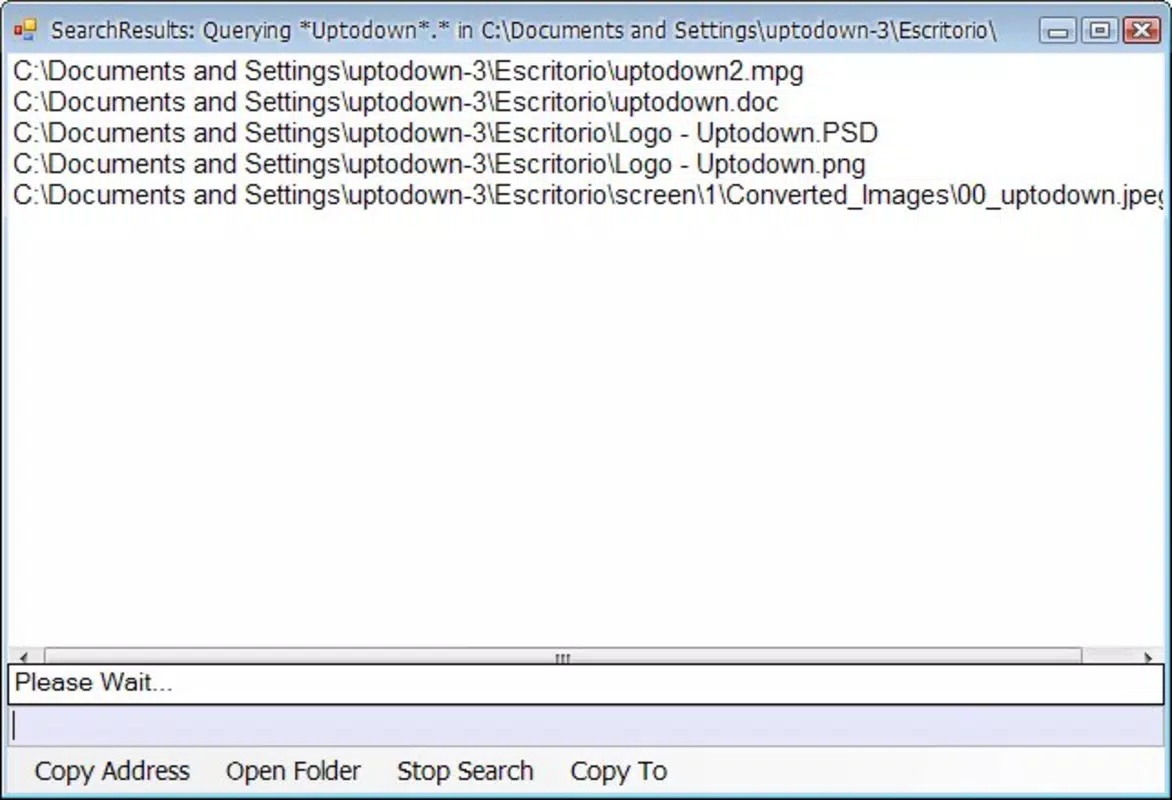
- Instant Search Results: Searches are executed swiftly, returning matching files within seconds. This speed is particularly useful when navigating through deeply nested directories or large file repositories.
- Wildcard Search Support: Users can employ wildcards (e.g., *report*, *draft*.pdf) to search for files with partial names. This flexibility enhances accuracy when the exact file name is unknown.
- Customizable Search Scope: TheSearchMan allows users to specify target folders or drives, reducing search time by narrowing the scope to relevant locations.
For example, a user managing multiple project folders can configure TheSearchMan to search only within a designated “Projects” directory. This targeted approach avoids irrelevant results and improves efficiency. Similarly, a student preparing for exams might use wildcard searches to locate all files containing “final” or “review” in the name across a study folder.
Interface, UX & Performance
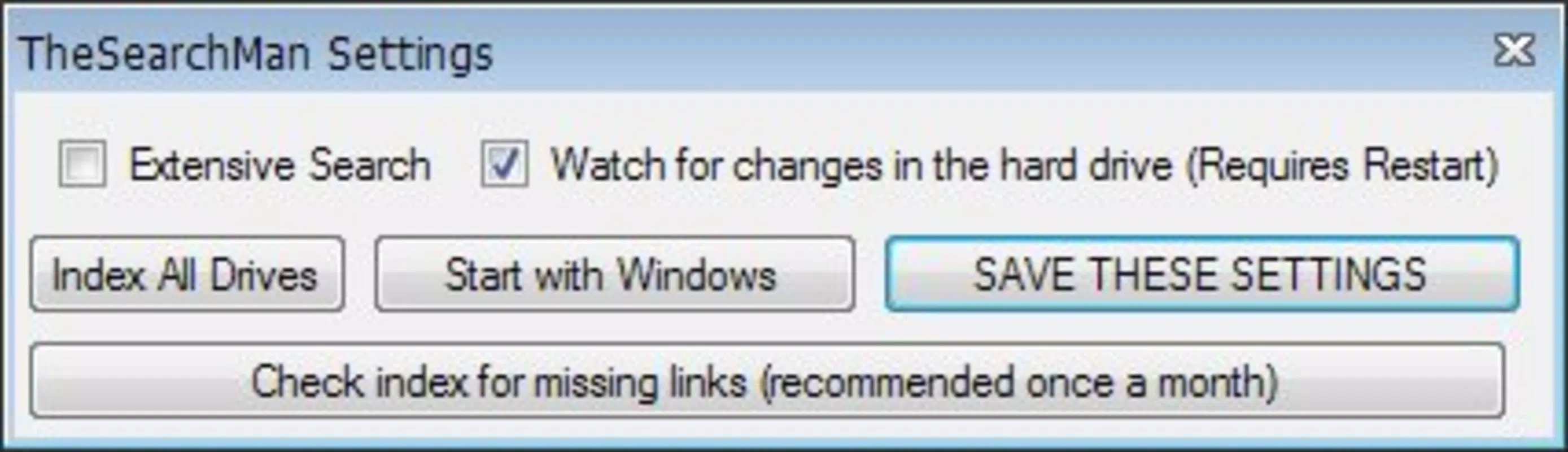
TheSearchMan features a minimalistic user interface designed for speed and clarity. The main window displays a simple input field for search queries, along with options to select search locations and enable wildcard matching. Navigation is intuitive, with no complex menus or layered settings. The layout prioritizes function over form, ensuring that users can initiate searches with minimal interaction.
Visual design is plain and functional, avoiding unnecessary graphics or animations. This contributes to the app’s lightweight nature and ensures consistent performance across older or low-resource systems. The interface responds promptly to user input, with no noticeable lag during search execution.
Although the developer did not list formal performance metrics, the app’s design suggests strong responsiveness. It operates efficiently on a range of hardware configurations, from modern desktops to legacy machines. Stability is maintained through a lightweight architecture that avoids background processes or memory leaks. The app remains active in the system tray without causing system slowdowns or crashes.
Platform Compatibility & Technical Requirements
TheSearchMan is designed for Windows-based systems. The specific operating system version is not listed, and compatibility details were not fully disclosed. The file size is reported as 1.2 MB, indicating a highly compact application with minimal footprint.
The developer did not specify minimum OS requirements, nor did they provide information on supported Windows versions. It is likely compatible with a broad range of Windows platforms, given its long-standing presence. However, users should exercise caution when deploying on newer or less common configurations without verified compatibility.
Pros and Cons
Pros
- Portable – no installation required
- Extremely lightweight with minimal resource usage
- Fast search results with instant response time
- Supports wildcard patterns for flexible queries
- Runs silently in the system tray for continuous access
Cons
- No official documentation or user guide provided
- Platform-specific to Windows (no cross-platform availability)
- Interface lacks advanced filtering or sorting options
- Developer information not publicly available
- Update frequency and support status are unknown
FAQ
Is TheSearchMan safe to download and use?
TheSearchMan is a lightweight utility with no known malware or intrusive behavior. As a portable application, it does not modify system settings or install background services. However, users should only download from trusted sources to ensure authenticity.
Can I run TheSearchMan on Windows 11?
While the developer did not specify compatibility with Windows 11, the app’s lightweight design and long history suggest it may function on newer Windows versions. Users are advised to test it in a safe environment before full deployment.
Does TheSearchMan support searching by file type or date?
Based on available information, TheSearchMan focuses on file name matching and does not include advanced filters such as file type, date modified, or size. Its functionality is limited to name-based searches with wildcard support.
How do I update TheSearchMan?
Specific update procedures were not disclosed. As a portable app, users may need to manually check for new versions on the official website or trusted software repositories.
Can I use TheSearchMan on multiple devices?
Yes, since TheSearchMan is portable and does not require installation, it can be run from a USB drive or cloud folder on different computers. This makes it convenient for users who work across multiple machines.
Final Thoughts
TheSearchMan remains a practical and efficient solution for users seeking a fast, no-frills file search tool. Its portability, minimal resource usage, and rapid results make it a reliable utility for anyone who frequently searches for files on a Windows system. While it lacks advanced features like file type filtering or detailed metadata search, its core functionality is executed with precision and consistency.
For users who value speed and simplicity over complexity, TheSearchMan offers a compelling alternative to built-in search tools. It is particularly well-suited for professionals, students, and power users who need instant access to files without the overhead of heavier applications.
Download TheSearchMan now


